










Learn From Experts:

Front-end Development Training in Zirakpur

WE BELIEVE IN SHARING

KNOWLEDGE AND MAKING

NEW SQUAD

READY FOR FUTURE

  • Exposure to Industry processes
  • Live International Projects exposure
  • Learn & work with Professional
  • Affordable Fees
  • Choose your comfort : Online / Offline classes
  • Training Certificate – Yes
  • Gain Knowledge, Not Just Certificates

Front End Developer Training in Zirakpur
Master Advanced Web Skills Fast

Stuck watching tutorials that never turn into real skills?

Struggling to find the right path in web development?

Unlock your potential with our front end development training in Zirakpur, designed to help you build strong foundations in HTML, CSS, and modern web design.

As you progress, you’ll work on real-world projects that sharpen your practical skills, making it ideal for those who are keen to learn HTML and CSS effectively.

  • With expert mentors and hands-on training.
  • You won’t just learn coding—you’ll step confidently into a career-ready future.
  • Start your journey now and become a job-ready front-end developer faster than ever.

Student Benefits

Anyone Can learn

Anyone Can learn IT / Non IT

No-Bookish-Knowledge

No Bookish Knowledge Only Practical Trainings

Instant Doubt Support

Instant Doubt Support 9AM to 6pm

Real-IT-Experts

Learn From IT Experts Not Just Teachers

Affordable-Fees

Affordable Fees Quality Training

Flexible-Learning

Flexible Learning Online / Offline

Get-Certified

Get Certified with Real Skills

Crack Real Interviews

Crack Real Interviews with Mock Practice

Real Skill Building

No Shortcuts Only Real Skill Building

Build Your Own Portfolio

Serious Enough Build Your Own Portfolio

Core Concepts You Will Master

A front-end web developer training is a program where you learn HTML, CSS, and JavaScript to build interactive and responsive websites.

  • HTML Fundamentals: Learn HTML structure, elements, attributes, headings, paragraphs, formatting, links, images, tables, and forms with AI-assisted development.
  • HTML5 Semantic Elements: Build structured websites using header, navigation, main, section, article, aside, and footer elements for better organization and accessibility.
  • CSS Fundamentals: Learn CSS syntax, selectors, classes, IDs, colors, backgrounds, typography, fonts, spacing, alignment, and AI-assisted styling techniques.
  • CSS Colors, Backgrounds & Typography: Create attractive interfaces using HEX, RGB, HSL, gradients, background images, font families, font sizes, weights, and text styling.
  • CSS Box Model & Layout: Master content, padding, borders, margins, dimensions, box sizing, positioning, display, overflow, z-index, radius, and shadows.
  • CSS Flexbox & Grid: Build flexible layouts using flex containers, alignment, wrapping, gaps, grid rows, columns, areas, and responsive layouts with AI assistance.
  • CSS Effects & Animation: Create engaging interfaces with transitions, transforms, scaling, rotation, hover effects, keyframes, animations, and optimized CSS using AI.
  • What is Bootstrap? Understand Bootstrap, its advantages, CDN, classes, documentation, differences from custom CSS, and AI-assisted Bootstrap development.
  • Bootstrap Typography & Utilities: Use Bootstrap headings, text utilities, font sizes, colors, backgrounds, borders, spacing, display, positioning, shadows, and utility classes.
  • Bootstrap Components: Build interfaces using buttons, alerts, badges, cards, pagination, progress bars, navigation, dropdowns, tabs, modals, and carousels.
  • Bootstrap Customization: Customize Bootstrap with CSS, colors, typography, buttons, components, icons, and AI-assisted styling while overriding default styles.
  • Responsive Web Design: Design mobile-first websites with responsive layouts, typography, images, containers, cards, grids, buttons, forms, tables, and footers.
  • Media Queries: Use CSS media queries and mobile, tablet, desktop, and custom breakpoints to control responsive layouts and element visibility.
  • Responsive Components: Build responsive headers, mobile menus, hero sections, cards, grids, buttons, and other components that adapt across devices.
  • Testing & Debugging: Use Chrome DevTools to test mobile, tablet, and desktop layouts, identify browser compatibility issues, and fix common responsive problems.
  • What is the WordPress Dashboard? Top Admin Bar, Screen Options, AI Workflow Integration, Quick Draft, WordPress News, and Admin Sidebar Menu.
  • Website Templates/Themes: AI-Based Theme Ideas, Website Template/Theme selection, Smart Design Concepts, and theme customization.
  • Creating New Pages and Posts: AI Content Planning, Creating New Pages and Posts, Content Refinement with AI, and publishing website content.
  • What Are Posts in WordPress? How to Add a New Post, Post Formats, AI Blog Title Ideas, AI Content Enhancement, Editing Existing Posts, and Deleting Posts.
  • What Are WordPress Categories? Creating Categories, Assigning Posts to Categories, Category Components, AI Topic Mapping, and Category Management.
  • What Are WordPress Tags? Adding Tags to Posts, Smart Tag Recommendations, Editing Tags, AI Keyword Discovery, and Deleting Tags.
  • WordPress Media Library: Manage media uploads, AI image creation, image metadata, automatic alt text, and files added while creating or editing website content.
  • WordPress Comments & Backup: Manage comments and moderation with AI while learning WordPress file backups, manual backups, and backup management.
  • WordPress Updates & Speed Optimization: Safely update WordPress, analyze performance, apply speed optimization techniques, and implement advanced performance strategies.
  • WooCommerce Setup & Configuration: Installation, store setup, general settings, product configuration, pages, privacy, accounts, emails, and advanced settings.
  • Products & Inventory: Product creation, AI descriptions, inventory, variable products, digital products, product images, download directories, & catalogs management.
  • Payments, Shipping & Orders: Payment gateways, taxes, shipping, coupons, checkout, order management, refunds, and WooCommerce reports.
  • Domain & Hosting: Understand domains, hosting, DNS, nameservers, A records, SSL, cPanel, FTP, databases, phpMyAdmin, email, and backup management.
  • WordPress Migration: Perform localhost-to-live and live-to-live migrations, database and file migration, search and replace, URL migration.
  • Live Website Troubleshooting: Resolve 404 errors, database issues, plugin and theme conflicts, white screens, broken CSS/JavaScript, mixed content, and redirect problems.

Still unsure which training is right for you?
Connect with us today and get clear guidance — absolutely free.

What Our Students Have to Say!

slide2
slide3
slide4
slide5
slide6
slide7
slide8
slide9
slide10

Your Learning Journey

1 Enroll in Training
2 Learn with Experts
3 Work on Live Projects
4 Build Your Portfolio
5 Real-Time Mock Interview

Unlock Your Full Learning Potential

Features training-logo YouTube Other Platforms
Affordable check check cross
Live Doubt Solving check cross cross
Flexible Learning Online / Offline check cross cross
Dedicated Projects check cross cross
Certification check cross check
Build Your Own Portfolio check cross cross
Mock Interviews Practice check cross cross

Instant Doubt Solving

Doubt Solving Chat

Doubts Solved within 15 minutes

Ask your doubts anytime between 9 AM and 6 PM and get them resolved within 15 minutes.

Doubt Solving Read

Every doubt matters. Get personal attention.

We give Personalized guidance that keeps you moving forward without confusion.

Anyone Can learn

Certify your Learning

Complete the training with assignments, and request your training completion certificate.
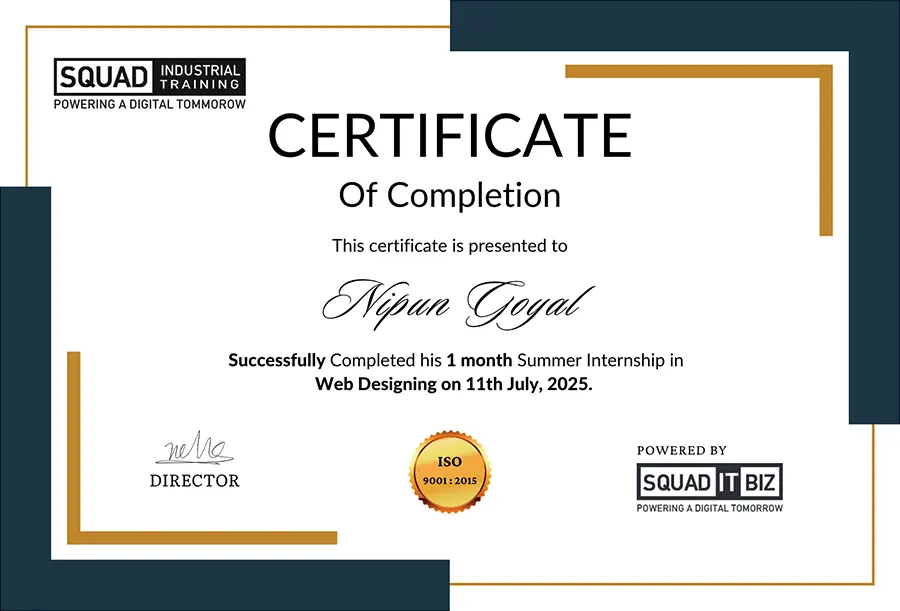
Certify your Learning
Certificate
Certificate

Start Your Learning Journey Today

Enroll now and gain industry-ready skills with expert guidance.

Frequently Asked Questions

What does a front-end developer do?
A front-end developer creates the visible and interactive parts of a website, including layouts, navigation, buttons, forms, and other user interface elements.
Which programming languages are used in front-end development?
HTML, CSS, and JavaScript are the core technologies used to build and develop the front end of websites.
What is the role of HTML and CSS in website development?
HTML provides the structure of a webpage, while CSS controls its appearance, layout, spacing, typography, and responsive design.
Why is JavaScript important for front-end development?
JavaScript adds functionality and interactivity to websites, allowing developers to create dynamic features and interactive user experiences.
What is responsive web design in front-end development?
Responsive web design allows a website to automatically adjust its layout and content for different screen sizes, including desktops, tablets, and mobile devices.
What type of projects can be built during front-end training?
Learners can work on practical projects such as business websites, landing pages, responsive webpages, navigation menus, forms, and interactive website sections.
How is front-end development different from website design?
Website design mainly focuses on the visual appearance and user experience, while front-end development converts the design into functional and interactive web pages using code.
Can front-end development be learned without previous coding experience?
Yes, beginners can start with basic web technologies and gradually learn coding concepts through structured lessons and practical exercises.
What tools are commonly used by front-end developers?
Front-end developers commonly use code editors, web browsers, browser developer tools, version-control systems, and other development tools to build and test websites.
What career opportunities are available after front-end developer training?
After developing practical front-end skills, learners can explore opportunities such as junior front-end developer, web developer, UI developer, or continue learning advanced web development technologies.