









Learn From Experts:

WebStart 45

WE BELIEVE IN SHARING

KNOWLEDGE AND MAKING

NEW SQUAD

READY FOR FUTURE

  • Exposure to Industry processes
  • Live International Projects exposure
  • Learn & work with Professional
  • Affordable Fees
  • Choose your comfort : Online / Offline classes
  • Training Certificate – Yes
  • Gain Knowledge, Not Just Certificates

45-Day Web Development Training with AI Certification

Getting tired of learning everything except what actually gets you hired?

Still learning web development, but not seeing real progress? Jumping between tutorials only creates confusion.

This AI-driven 45-day web development training gives you a clear, structured path with AI for web development with AI certification and hands-on projects.

Built around practical learning and 45 days industrial training, it helps you gain real skills, not just theory, so you can confidently step into real-world development roles.

  • Stop guessing.
  • Start building—enroll now.

Student Benefits

Anyone Can learn

Anyone Can learn IT / Non IT

No-Bookish-Knowledge

No Bookish Knowledge Only Practical Trainings

Instant Doubt Support

Instant Doubt Support 9AM to 6pm

Real-IT-Experts

Learn From IT Experts Not Just Teachers

Affordable-Fees

Affordable Fees Quality Training

Flexible-Learning

Flexible Learning Online / Offline

Get-Certified

Get Certified with Real Skills

Crack Real Interviews

Crack Real Interviews with Mock Practice

Real Skill Building

No Shortcuts Only Real Skill Building

Build Your Own Portfolio

Serious Enough Build Your Own Portfolio

Skills You Will Walk Away With

If you’re planning to join a web development training or learn smarter, faster development methods, here’s what you’ll master:

  • What is HTML? Learn HTML fundamentals, document structure, DOCTYPE, elements, head and body sections, file structure, and AI-assisted page creation.
  • HTML Text & Content: Learn headings, paragraphs, text formatting, lists, blockquotes, and HTML entities to create well-structured and readable website content.
  • HTML Links, Images & Media: Work with hyperlinks, internal and external links, email and call links, images, responsive images, audio, video, YouTube, and Google Maps.
  • HTML Tables: Create structured tables using rows, columns, headers, colspan, rowspan, and responsive table techniques for presenting website information.
  • HTML Forms: Build forms using text, email, password and number fields, radio buttons, checkboxes, dropdowns, textareas, file, labels, validation, and AI.
  • HTML5 Semantic Elements: Create structured websites using header, navigation, main, section, article, aside, and footer elements with AI-assisted semantic HTML.
  • What is CSS? Understand CSS syntax, inline, internal and external css, selectors, classes, IDs, universal, group and attribute selectors, and AI-assisted CSS.
  • CSS Colors, Backgrounds & Typography: Learn colors using HEX, RGB, RGBA and HSL, backgrounds, gradients, fonts, sizing, weights, line height, alignment, and AI suggestions.
  • CSS Box Model & Layout: Master content, padding, margins, width, height, max and min, sizing, border radius, shadows, display, positioning, overflow, and z-index.
  • CSS Flexbox & Grid: Build flexible layouts using flex containers, direction, alignment, wrapping, gaps, grid columns, rows, responsive grids, and AI-assisted layouts.
  • CSS Effects & Animation: Create interactive designs using transitions, transforms, scaling, rotation, translation, hover, keyframes, animations, image and button effects.
  • What is Bootstrap? Understand Bootstrap, its purpose, advantages, CDN, classes, documentation, differences from CSS, and AI-assisted Bootstrap development.
  • Bootstrap Grid System: Build layouts using containers, rows, columns, the 12-column grid, column widths, nested layouts, responsive grids, and AI-generated layouts.
  • Bootstrap Typography & Utilities: Use Bootstrap utility classes for headings, text, fonts, colors, backgrounds, borders, spacing, display, positioning, shadows, and layouts.
  • WordPress Fundamentals: Learn WordPress installation, dashboard and settings, users and roles, pages and posts, and effective use of the WordPress media library.
  • Themes & Page Building: Install and configure themes, understand page builders, work with WPBakery, and customize headers, footers, menus, and navigation.
  • WordPress Content: Create and manage pages and blog posts, organize categories and tags, add featured images, and use contact forms and widgets.
  • WordPress Customization: Customize WordPress using CSS, child themes, template, and core theme files such as header.php, footer.php, page.php, and single.php.
  • Plugins & Functionality: Select and configure plugins for contact forms, SEO, security, backups, and additional website functionality according to project requirements.
  • WordPress Project: Create a complete website structure with Home, About, Services, Blog, and Contact pages while applying the concepts covered in the training.

Still unsure which training is right for you?
Connect with us today and get clear guidance — absolutely free.

What Our Students Have to Say!

slide2
slide3
slide4
slide5
slide6
slide7
slide8
slide9
slide10

Your Learning Journey

1 Enroll in Training
2 Learn with Experts
3 Work on Live Projects
4 Build Your Portfolio
5 Real-Time Mock Interview

Unlock Your Full Learning Potential

Features training-logo YouTube Other Platforms
Affordable check check cross
Live Doubt Solving check cross cross
Flexible Learning Online / Offline check cross cross
Dedicated Projects check cross cross
Certification check cross check
Build Your Own Portfolio check cross cross
Mock Interviews Practice check cross cross

Instant Doubt Solving

Doubt Solving Chat

Doubts Solved within 15 minutes

Ask your doubts anytime between 9 AM and 6 PM and get them resolved within 15 minutes.

Doubt Solving Read

Every doubt matters. Get personal attention.

We give Personalized guidance that keeps you moving forward without confusion.

Anyone Can learn

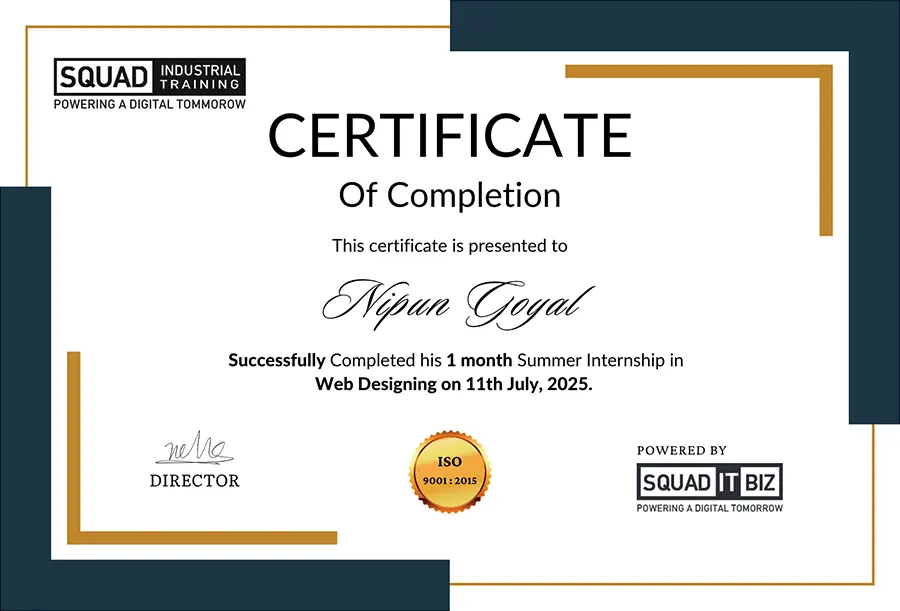
Certify your Learning

Complete the training with assignments, and request your training completion certificate.
Certify your Learning
Certificate
Certificate

Start Your Learning Journey Today

Enroll now and gain industry-ready skills with expert guidance.

Frequently Asked Questions

What will I learn in this web development training?
In this web development training, you’ll learn HTML, CSS, JavaScript, WordPress, and real-world project building. The training focuses on practical skills, AI-based workflows, and hands-on implementation to make you job-ready from day one.
Does this training include a certificate?
Yes, this is one of the best web development trainings with certificates, where you receive a recognized certificate after completion, validating your practical skills and improving your job opportunities.
Is this a 45 days industrial training program?
Absolutely, this program is designed as a complete 45 days industrial training, giving you real project exposure, industry-level experience, and hands-on learning aligned with current development standards.
Is it possible to learn website design without any coding experience?
Yes, beginners can learn website design without coding. This web development training teaches the basics step-by-step using simple tools and AI assistance.
What is the difference between this and a traditional training?
Unlike traditional programs, this web development training focuses on practical implementation, live projects, and AI for web development, helping you learn faster, build real skills, and become job-ready instead of just gaining theoretical knowledge.
What languages are used in the web development training?
The web development training is conducted in both Hindi and English, ensuring clear understanding and accessibility for all students.
Is this training suitable for beginners?
Yes, this web development training is beginner-friendly. You can start from scratch and gradually move toward advanced concepts with structured guidance and practical assignments.
Will I work on real projects during the training?
Yes, during the 45 days industrial training, you will work on live projects that simulate real client requirements, helping you build confidence and practical experience.
Are online and offline classes available?
Yes, you can choose between online and offline modes in this web development training, depending on your comfort and learning preferences.
Are Flexible Payment Options Available?
Yes! Enrolling is simple with flexible payment plans. You can pay the full fee upfront or opt for convenient installments—2 payments over 3 months or 3 payments over 6 months—designed to fit your budget..